Claude Code and Codex
Uses the agents you already have. When Claude hits its usage limit, Codex picks up the work.
Free beta for Mac
Say what you want built. ClankDesk turns your words into tasks, runs Claude Code and Codex on each one in parallel, and only taps you when it needs a decision.
macOS 15 or laterWorks with Claude Code and Codex
Why ClankDesk
Each tab has a tiny title. Which one was the login bug? Which one asked you a question an hour ago? Today you describe the work, open the sessions, watch them, hunt for the one that needs you, review, and try to remember what's left. ClankDesk takes over all of that coordination.
One calm board. Tasks pop in when you speak, agents work them, and cards leave once you've approved them.
How it works
Talk for three minutes about two bugs and two features. Hit send and four cards pop in. You never open a terminal or pick an agent.
Talk or type the way you would brief a developer. One message can hold many requests.
Each request becomes its own task with a plan. Ideas for later go to the backlog, out of sight.
Claude Code and Codex take the tasks at once, each in its own git worktree. No tabs to manage.
Check the before and after, approve, and ClankDesk merges it on your Mac. The card leaves the board.
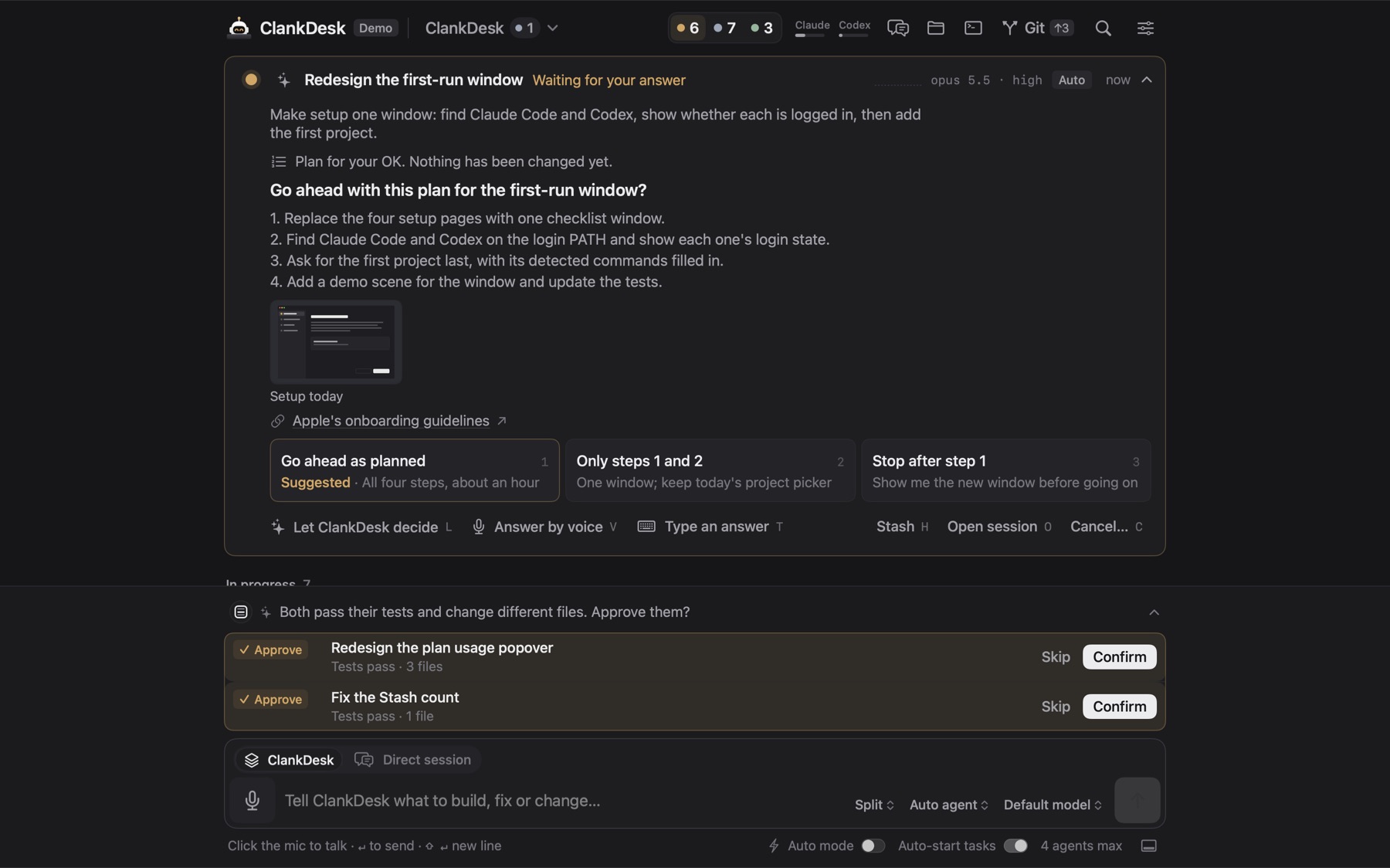
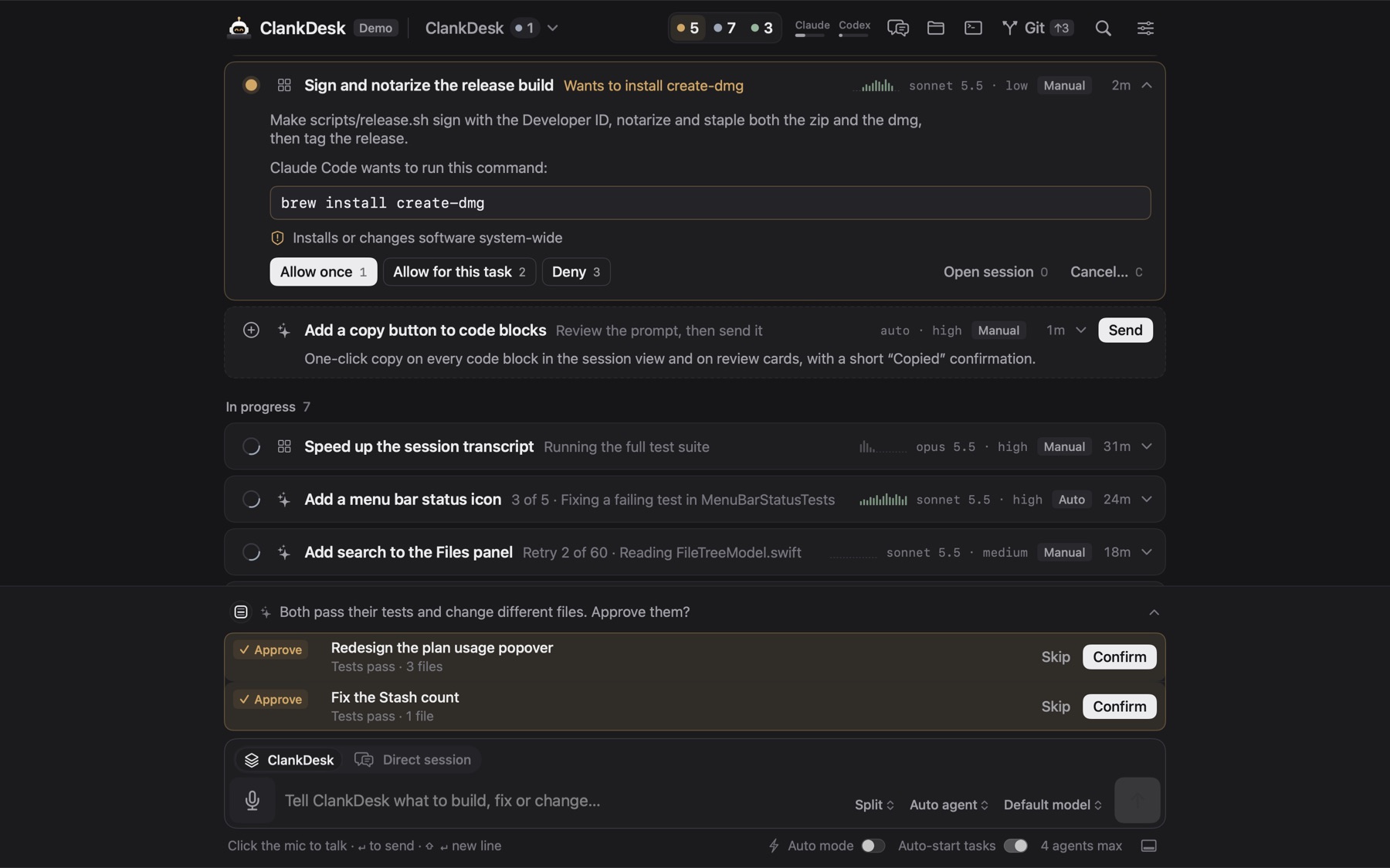
When an agent needs a decision, its card rises to the top with the question, the plan and a recommended answer. Pick one, type your own, say it out loud, or let ClankDesk decide.
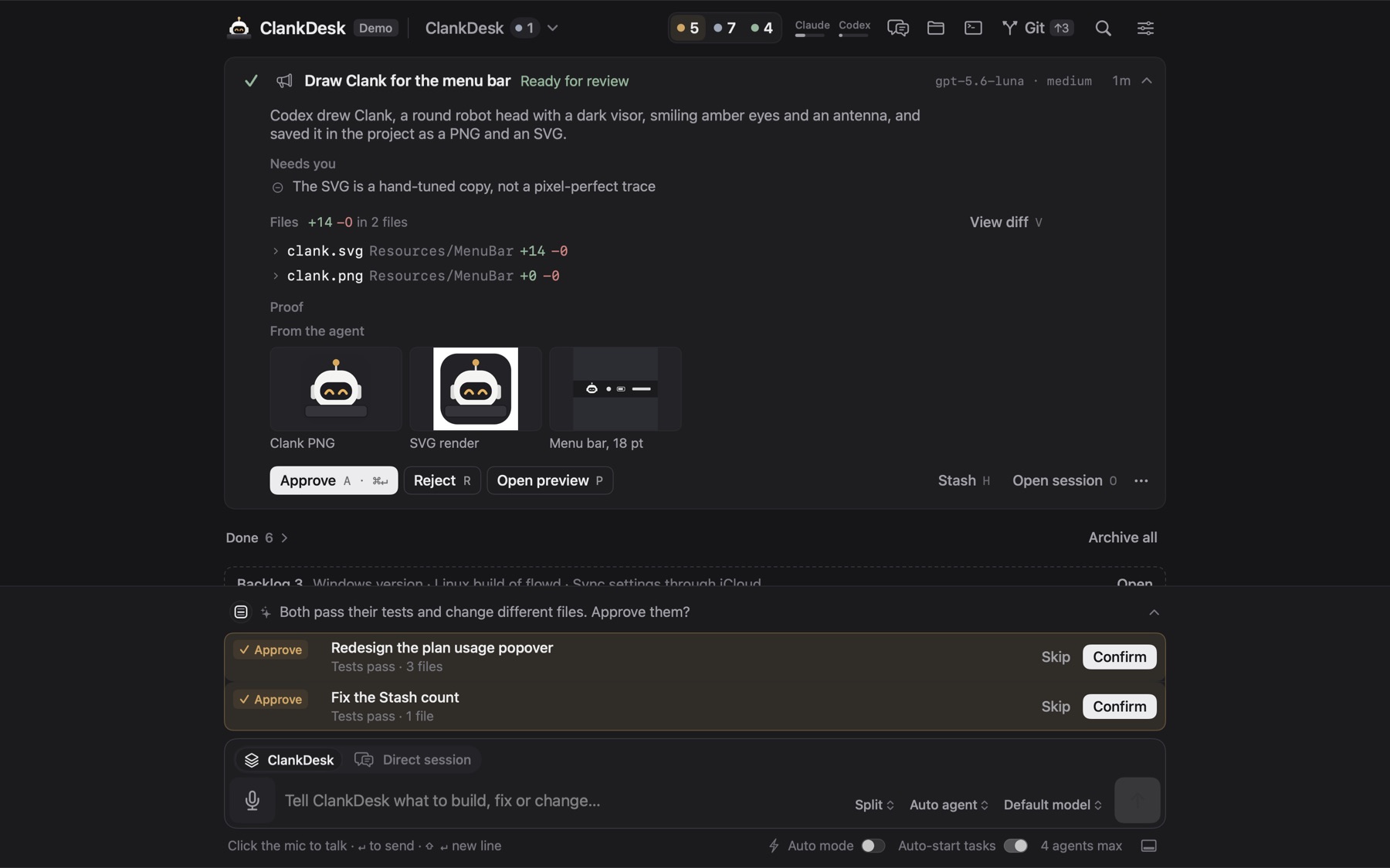
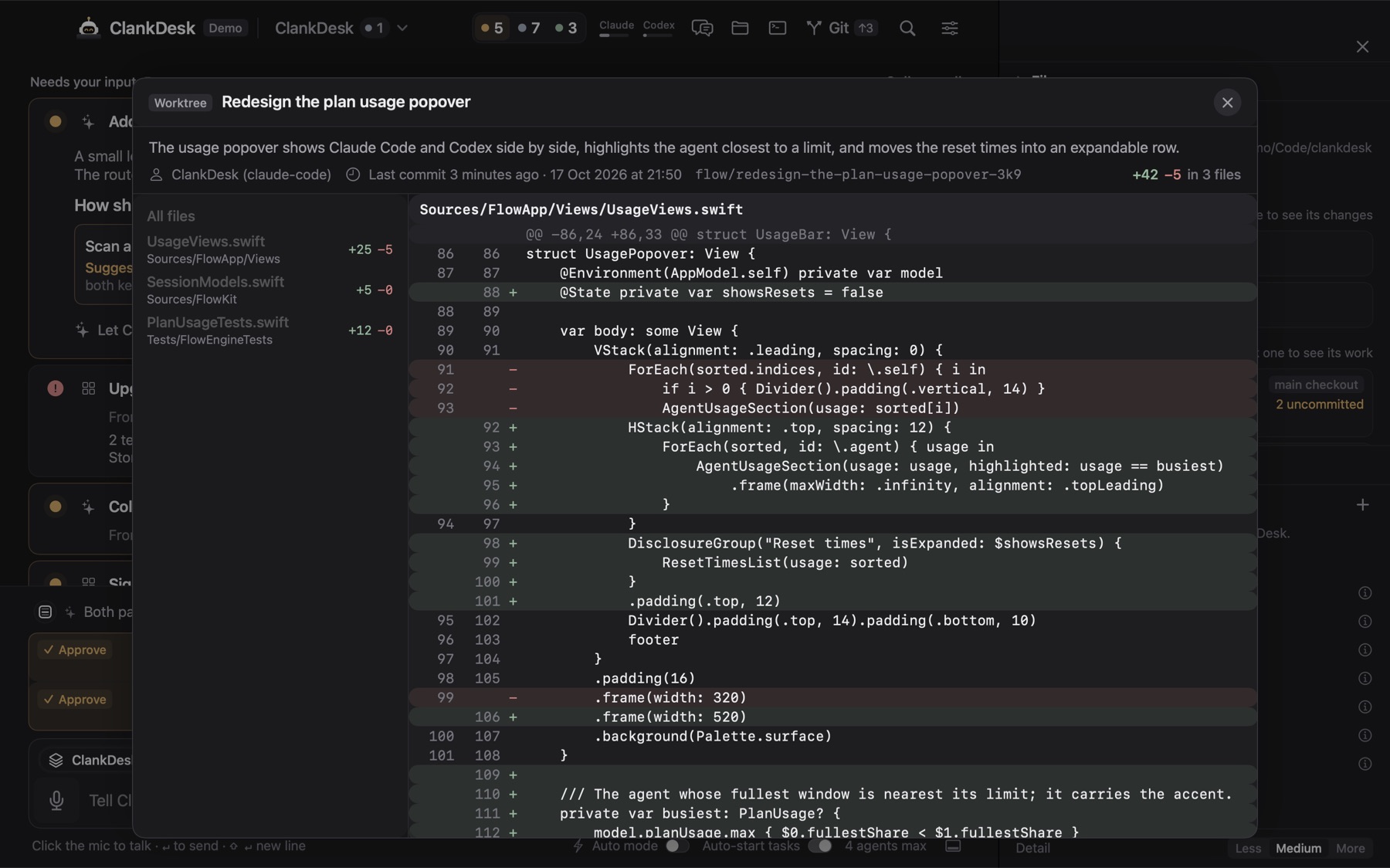
Finished work comes back with screenshots, before-and-after pictures, a live preview and a short summary. The terminal output is one click away if you ever want it.
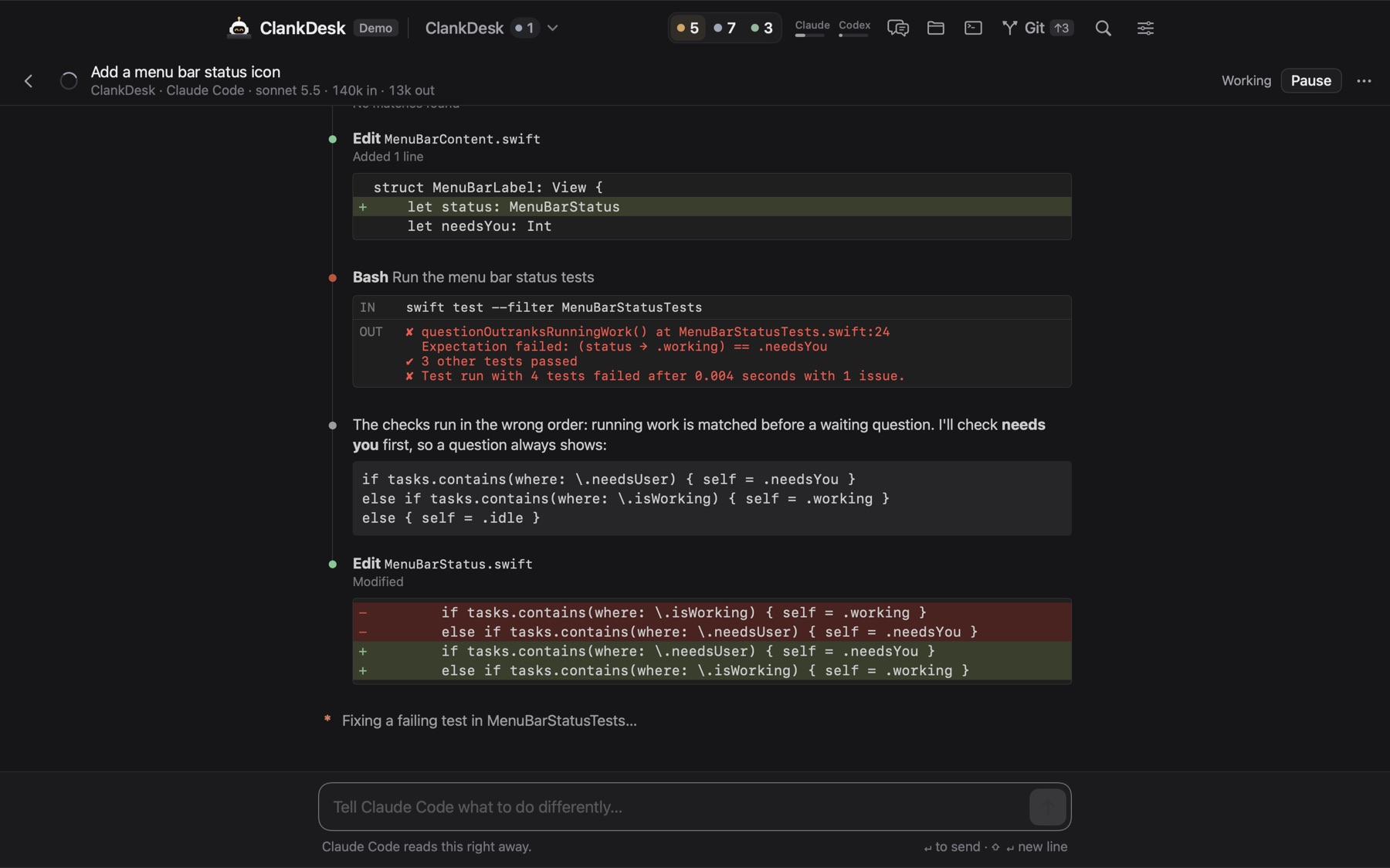
Every task is a real Claude Code or Codex session. Open one to follow each edit and test run as it happens, and steer it while it works. Close it and the card keeps you posted in one line.
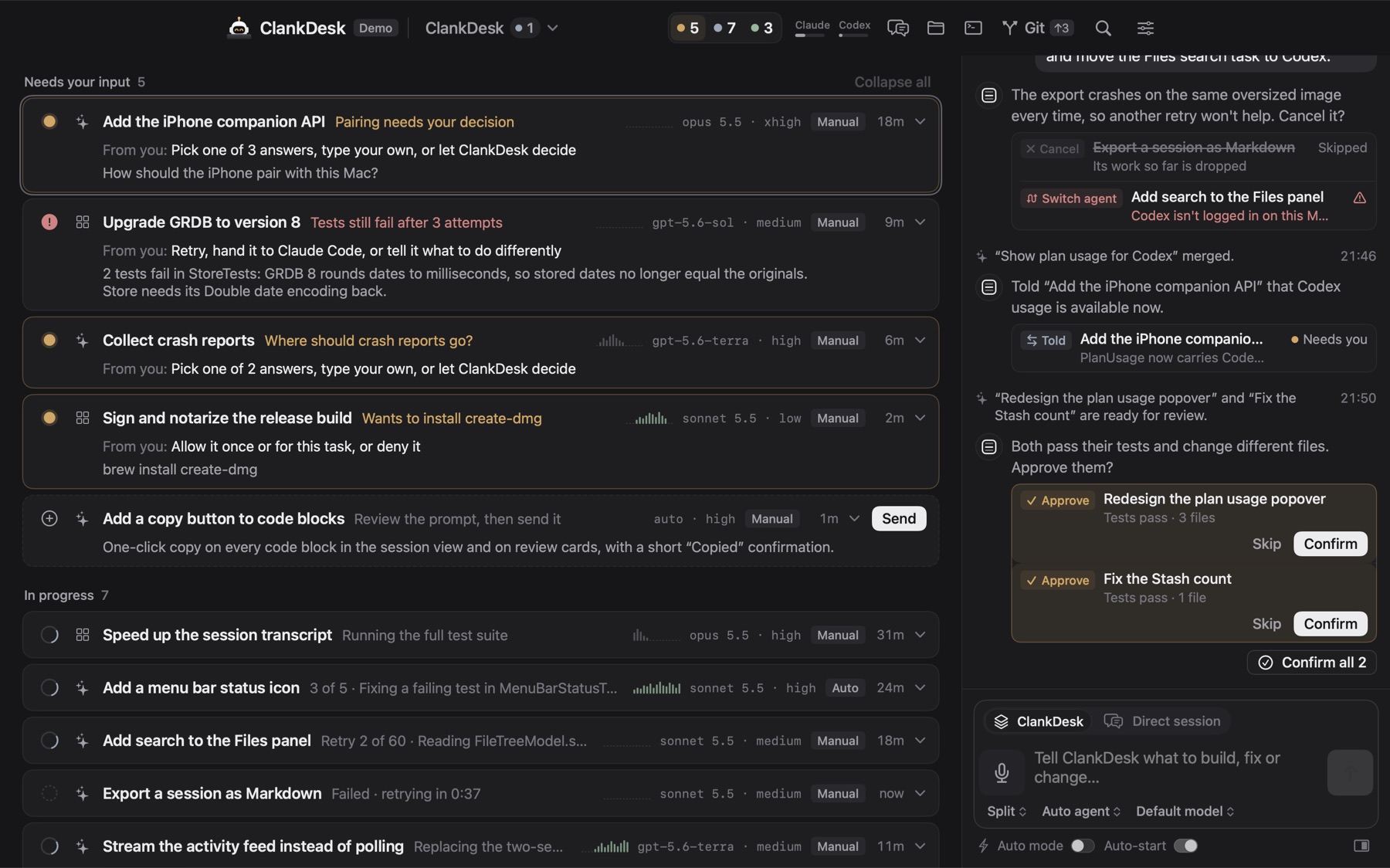
Ask what's going on. Say "approve those two" or "actually, forget the dashboard for now" and it changes the right task. It even tells one task what another just learned. Anything lasting waits for your Confirm.
Agents never work in your checkout. Each task gets its own branch and git worktree. When you approve, ClankDesk commits, rebases, runs your tests and fast-forwards your branch. A conflict or a failing test goes back to the agent.
Safe actions run on their own. Anything that leaves your Mac or can't be undone turns into a question on the card: allow once, allow for this task, or deny. Agents can never push, merge pull requests or publish releases.
Uses the agents you already have. When Claude hits its usage limit, Codex picks up the work.
Hold a key and speak. Your words become tasks.
Paste or drop an image and the agents see it.
A failed task tries again for up to an hour before it bothers you.
Close the window and the work goes on. After a restart, sessions pick up where they left off.
Point a project at a server over SSH. Agents run there, you stay on your Mac.
Open projects in columns, each with its own composer. Header counts show where you're needed.
Switch on standing rules like Tests first or Minimal diff for every agent.
See how much of your Claude and ChatGPT plans is left, right in the header.
ClankDesk for iPhone lets you answer questions, allow a command and approve finished work from anywhere. When a task needs you, your phone tells you.

Stop hunting through tabs. Download ClankDesk for your Mac. It keeps itself up to date, and you can turn that off.
macOS 15 Sequoia or laterNeeds Claude Code or Codex
Yes, ClankDesk is free during the beta. The agents run on your own Claude or ChatGPT plan, the same one you use for Claude Code or Codex today.
A Mac with macOS 15 Sequoia or later, git, and Claude Code or Codex installed and logged in. ClankDesk finds them on its own.
ClankDesk runs on your Mac and merges on your Mac. Your code goes only where your agents already send it: Anthropic for Claude Code, OpenAI for Codex.
No. Agents can't push, merge pull requests or publish releases. Each task works in its own worktree, and ClankDesk never force-pushes, resets or stashes. Your uncommitted changes are left alone.
ClankDesk checks for updates in the background and installs them for you. To decide yourself, turn off automatic installs in Settings → General.
During the beta, ClankDesk downloads from a link we email you. Enter your email and we'll send it, plus a short tour and news when new features ship.